
Pocket Rocket1.5 - Google Play
You'll be able to see results in few seconds.
Publisher Description

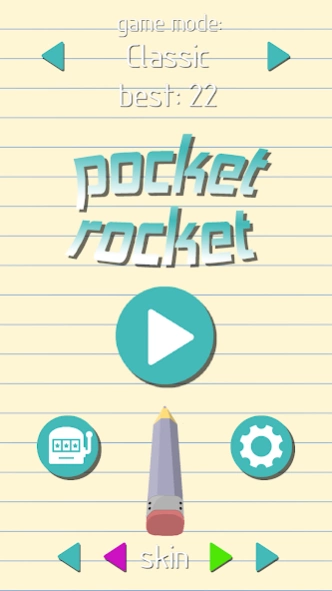
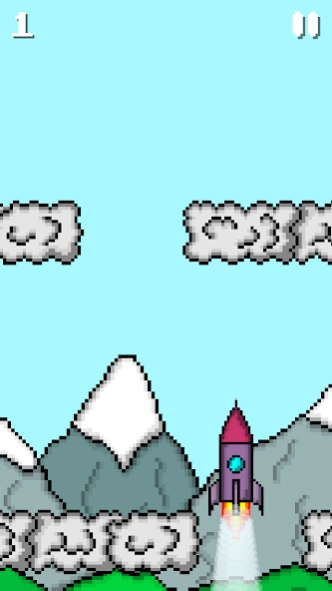
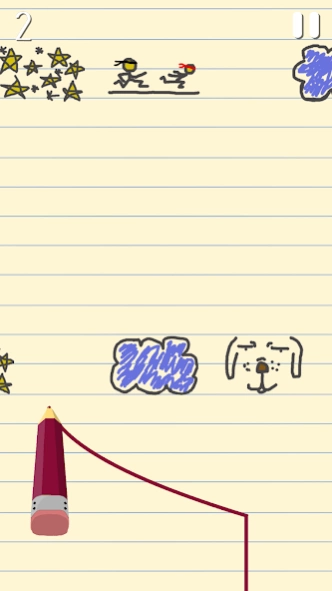
Control a rocket in an interesting new way
Pocket Rocket is a simple game where you control a rocket to avoid clouds or other obstacles. What makes it different from other similar games is a unique way of controlling the rocket. At first it's challenging but once you get used to it, it becomes a real fun.
Gameplay
You control the rocket by dragging your finger across the screen left or right (depending on desired rocket direction) and when you release it, rocket gets initial horizontal velocity proportional to horizontal length of your drag. This means that 2 times longer drag causes 2^2 = 4 times longer horizontal path that rocket travels. You can move the rocket only once between two clouds.
Coins
Each game you get coins proportional to number of clouds passed and game mode difficulty (coin factor * number of clouds passed). Coins can be spent for buying new skins or game modes.
Slot machine
You can test your luck on a slot machine. Each spin costs 90 coins. There are 4 types of rewards:
-new skin color
(a completely new color for a random skin chosen by a random RGB value)
-coins
-new game mode
-new skin
Game modes
Tutorial:
just to get used to the gameplay, you get no coins here
Easy:
bigger spaces between clouds, coins factor = 0.5
Classic:
no through wall ability, coins factor = 1
Through wall:
coins factor = 0.9
Random clouds:
no through wall ability, clouds have random offset, coins factor = 1.1
Accelerating:
rocket accelerates, coins factor = 1.2
High speed:
x1.6 speed, coins factor = 1.4
Moving clouds:
hardcore, clouds move in horizontal direction, coins factor = 1.8
Made in LibGDX framework.
Programming:
- Matjaž Boštic
Drawing:
- Sebastjan Kramar
- Matjaž Boštic
About Pocket Rocket
The company that develops Pocket Rocket is Matjaž Boštic. The latest version released by its developer is 1.5.
To install Pocket Rocket on your Android device, just click the green Continue To App button above to start the installation process. The app is listed on our website since 2020-06-30 and was downloaded 0 times. We have already checked if the download link is safe, however for your own protection we recommend that you scan the downloaded app with your antivirus. Your antivirus may detect the Pocket Rocket as malware as malware if the download link to com.mbostic.rocket is broken.
How to install Pocket Rocket on your Android device:
- Click on the Continue To App button on our website. This will redirect you to Google Play.
- Once the Pocket Rocket is shown in the Google Play listing of your Android device, you can start its download and installation. Tap on the Install button located below the search bar and to the right of the app icon.
- A pop-up window with the permissions required by Pocket Rocket will be shown. Click on Accept to continue the process.
- Pocket Rocket will be downloaded onto your device, displaying a progress. Once the download completes, the installation will start and you'll get a notification after the installation is finished.
Program Details
System requirements
Download information
Pricing
Version History
version 1.5
posted on 2020-06-30
Fixed banner ad covering game objects
version 1.5
posted on 2020-06-30
Fixed banned add covering game objects
Disclaimer
Official Google Play Link
We do not host Pocket Rocket on our servers. We did not scan it for viruses, adware, spyware or other type of malware. This app is hosted by Google and passed their terms and conditions to be listed there. We recommend caution when installing it.
The Google Play link for Pocket Rocket is provided to you by apps112.com without any warranties, representations or guarantees of any kind, so access it at your own risk.
If you have questions regarding this particular app contact the publisher directly. For questions about the functionalities of apps112.com contact us.
